Hola VPN Review: Why the Free Version Is a Problem

A free VPN can be convenient, but convenience does not automatically mean privacy or accountability. This review focuses on what you should check before allowing any no-cost service to handle your traffic. The details per service are in our Surfshark review.
A peer-to-peer VPN model is different from a conventional server-based VPN.
Sharing idle bandwidth can expose you to activity associated with another user.
A shared exit IP address may create abuse, blocking, or reputational problems.
Privacy claims should be checked against clear policies and independent testing.
For sensitive activity, a reputable paid or carefully selected free VPN is usually the safer choice.
What Hola VPN is and how its free model works
Hola VPN is marketed as a community-powered, peer-to-peer VPN rather than a conventional service built around company-operated VPN servers. That distinction matters because your connection may participate in the network, not simply connect to it. If you are searching for a review hola vpn, start with the network design before considering speed or streaming access. For a side-by-side view, see the full VPN comparison.
Hola VPN’s browser extension and app-based setup
The basic setup is designed to be simple: you install a browser extension or app, choose a country or destination, and activate the connection. That low barrier can be useful when you only want to access a page that is unavailable in your location. It can also make the service feel more like a browser proxy than a full-device privacy tool, so you should check which traffic is actually covered.
A simple interface does not tell you whether traffic is encrypted, how it is routed, or what information is retained. Those questions sit behind the connect button and deserve more attention than the number of available locations.
How peer-to-peer bandwidth sharing differs from a traditional VPN
In a conventional VPN arrangement, your traffic is normally sent to a VPN provider’s server before reaching the wider internet. In a peer-to-peer model, the service can route traffic through other users’ devices, while participating users may contribute idle bandwidth. That changes the risk calculation: you are not only trusting a provider’s infrastructure, but also accepting a network relationship involving consumer connections.
The practical difference is accountability. A shared network can make it harder to identify who generated a request and who merely provided the connection through which it travelled. You can read a broader explanation of VPN and proxy differences before deciding what level of protection you actually need.
The role of Hola’s paid Premium network
The paid Premium offering is presented as a separate option with access to a Premium network. Public product descriptions and reviews also associate Premium with encryption and the removal of certain free-use bandwidth limits. You should still read the current terms carefully, because paying for a plan does not by itself answer questions about logging, jurisdiction, or the precise protections applied to every type of traffic.
Premium may address some practical limitations of the free tier, but it does not automatically make every aspect of the underlying model equivalent to a conventional VPN. Treat price as one part of the assessment, not as proof of privacy.
Which devices and streaming platforms Hola supports
The service is available through browser extensions and apps across multiple platforms, and its main appeal is often connected with reaching content that varies by country. Compatibility can change by operating system, browser, and streaming provider, so you should verify support for your own device rather than rely on a general list.
Streaming services also change how they detect proxies and VPN connections. A location that works today may be blocked tomorrow, particularly when many users appear to share one address. For Android-specific comparisons, free VPN options for Android can help you assess data limits, permissions, and device coverage more systematically.
Why Hola’s free version raises security concerns
The central concern is not simply that the free version costs nothing. It is that the free model may rely on users contributing bandwidth and, in some circumstances, allowing traffic to pass through ordinary devices. That creates a different exposure from connecting to a provider-controlled server. You should understand that trade-off before installing the software.
How idle user bandwidth can become part of the network
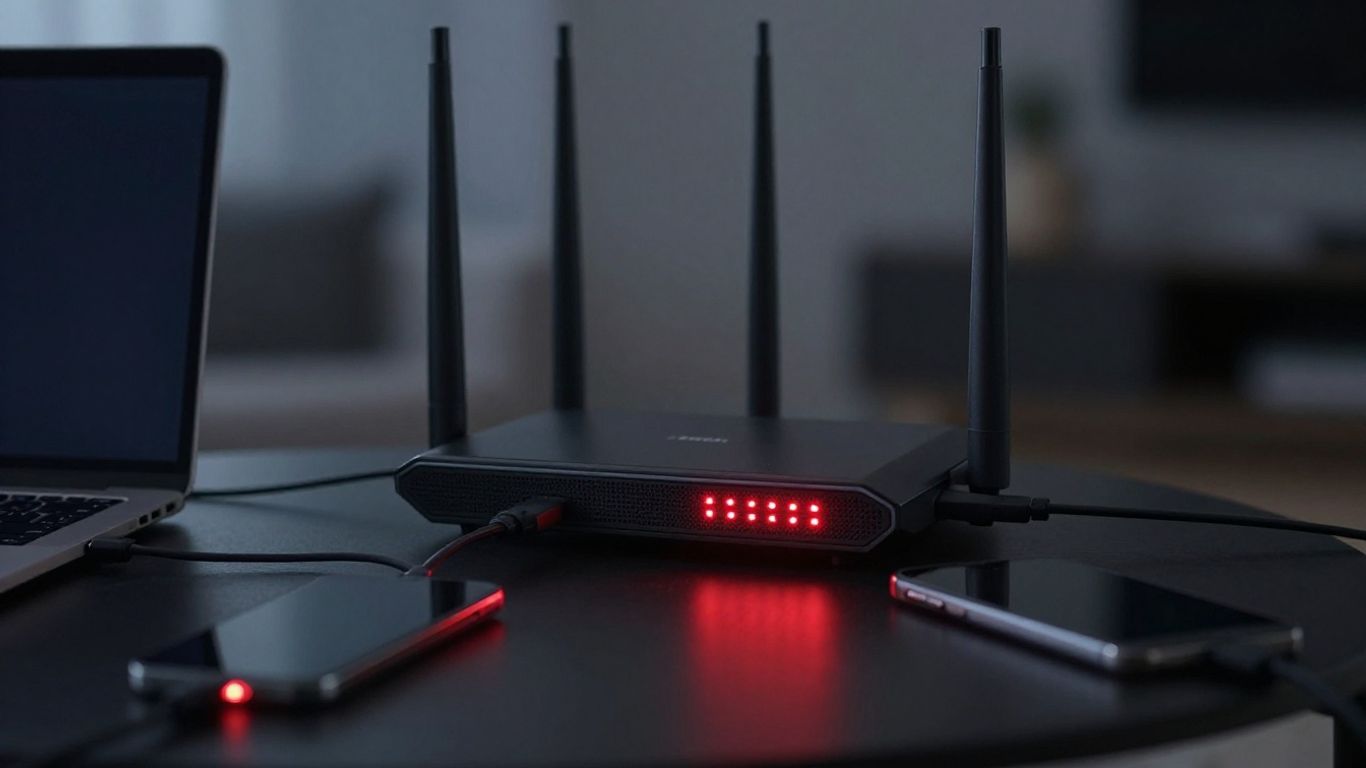
When idle bandwidth becomes part of a peer-to-peer network, your device or connection may help carry requests made by someone else. The exact technical behavior depends on the product, platform, and current terms, so avoid assuming that an inactive browser tab means the network is inactive. Check the permission screens and policy language during installation.
This arrangement can also affect your available bandwidth, data allowance, and connection stability. If you use a metered mobile plan or a congested home connection, the cost may be practical rather than merely theoretical.
The risks of routing other users’ traffic through your connection
Traffic routed through your connection can appear to websites, abuse desks, and automated security systems to originate from your IP address. You may not have made the request, but your connection can still be the visible source. That makes the model unsuitable for people who need a clear separation between their own activity and other users’ traffic.
The risk is not a prediction that every shared connection will be abused. It is a question of control: you have limited ability to inspect, approve, or reject the requests associated with the bandwidth you contribute.
Why shared exit IP addresses can create abuse and reputational problems
A shared exit IP address is used by multiple people, sometimes across different locations and connection types. If one user triggers fraud controls, copyright complaints, spam filters, or account security checks, other users may encounter blocked pages or extra verification. Your reputation as an internet connection can be affected even when your own browsing is ordinary.
For everyday browsing, that may be an annoyance. For remote work, online banking, business administration, or a hosted service, unpredictable IP reputation can become a material problem. Control over the exit point matters when the consequences of misattribution are high.
What Hola’s terms and policies say about network use
Terms and privacy policies are the place to check whether bandwidth sharing is part of the free service, what permissions are required, and what conduct is prohibited. Read the current wording rather than relying on an old review or a short app-store description. Pay particular attention to provisions covering network participation, acceptable use, data collection, and suspension.
A policy can reserve rights broadly while still leaving practical questions unanswered. If you cannot explain what your device contributes, which traffic is covered, and how complaints are handled, you do not yet have enough information to make an informed choice.
Hola VPN privacy and data-handling practices
Privacy is broader than hiding your IP address. You also need to consider account details, device identifiers, diagnostic information, connection records, and the legal process used to respond to requests. A service may advertise privacy while retaining categories of data that matter to you.
What information Hola may collect from users
Public reviews have raised concerns about the breadth of information associated with the service, including IP addresses, device information, and browsing-related data. Because policies can change, you should treat those reports as prompts for verification rather than as a substitute for reading the current policy. Look for specific categories, retention periods, sharing disclosures, and deletion procedures.
The same review process applies to any VPN. If a policy uses vague terms such as “usage information” without explaining what that includes, you should assume there is uncertainty rather than fill the gap with an optimistic interpretation. The details per service are in our Surfshark review.
How the service handles IP addresses, device data, and usage information
IP addresses can be personal data in context, while device data may include operating-system details, identifiers, or diagnostic signals. Usage information may describe how an app or connection is used, even when it does not contain the full content of every page. The relevant question is whether the provider collects enough surrounding information to reconstruct meaningful parts of your activity.
You should also separate collection from sharing. A company may collect data for operation, disclose it to service providers, retain it for security, or respond to legal demands under different rules. Those distinctions are more useful than a general promise to keep you private.
The difference between a VPN privacy claim and verified no-logs practices
“No logs” is not a universal technical standard. One provider may mean that it does not retain browsing content, while another may still keep connection timestamps, bandwidth totals, device identifiers, or account records. A meaningful assessment therefore requires a precise policy and evidence that the stated practice matches the running service.
When comparing providers, look for a clearly scoped claim, an explanation of what has been tested, and a history of responding to scrutiny. Do not treat a marketing label as proof that no useful data can ever exist.
What independent audits and security testing can, and cannot, prove
An independent audit can examine a defined system, period, and set of controls. It may provide useful evidence about a particular application, infrastructure component, or stated process. It cannot prove that every future version behaves identically, that every platform has the same controls, or that a broad privacy promise covers matters outside the audit’s scope.
The strongest reading is cautious: testing can reduce uncertainty, but it does not remove the need to inspect permissions, policies, and the network architecture yourself. That is especially true when a free service depends on participation from a large user base.
Hola VPN performance, streaming, and everyday usability
Performance is where a peer-to-peer model can look attractive: a nearby participating device may offer a fast route for a particular task. The same model can also produce uneven results because availability, distance, congestion, and IP reputation vary. You should judge it against your actual routine rather than a single successful connection.
Connection speeds compared with conventional VPN services
Speed can change from one connection to the next because the route depends on network conditions beyond your direct control. A nearby peer may be quick, while a distant or busy connection may introduce latency and packet loss. Conventional services also vary, but their managed server infrastructure generally gives you a clearer point of control when changing locations. For a side-by-side view, see the full VPN comparison.
Run repeated tests at different times if speed matters. One fast result is not enough evidence for work calls, large downloads, or regular high-definition streaming.
Streaming access and the reliability of shared IP addresses
Shared addresses can sometimes help a service appear to come from a different country, which is one reason peer-based tools attract streaming users. They can also be easy for platforms to identify and block when many accounts arrive from the same address. Access is therefore likely to be service-specific and changeable.
Do not confuse successful unblocking with security. A route that opens a video catalogue may still leave you uncertain about encryption, logging, or which device is carrying the traffic.
Web browsing, downloads, gaming, and video-call performance
For ordinary browsing, an inconsistent route may be tolerable if a page loads and the connection remains stable. Downloads expose bandwidth limits more quickly, while gaming and video calls are sensitive to latency, jitter, and interruptions. If your connection is business-critical, use a setup whose routing and failure behavior you can understand.
You should also test whether the service covers the application you care about. A browser extension may not protect a desktop game, email client, smart-TV app, or background update. Coverage is a technical detail, not a cosmetic one.
App permissions, pop-ups, and the overall user experience
A friendly interface can reduce setup friction, but you should still review permissions, notifications, and optional offers. Pop-ups or prompts that steer you toward a paid plan are not necessarily a security defect, yet they can obscure what the free tier actually includes. Keep your assessment focused on permissions and network behavior rather than visual polish.
If an app asks for access that seems unrelated to its stated function, pause and investigate. Removing the app later may not undo data already collected, which is another reason to read before accepting.
The video placeholder can complement this explanation, but it should not replace checking the current product documentation and permissions on your own device.
How Hola VPN compares with safer free alternatives
A no-cost VPN is not automatically unsafe, and a paid VPN is not automatically trustworthy. The useful comparison is between network architecture, data practices, technical controls, and accountability. You can start with a wider VPN provider comparison, then narrow the choice to the devices and activities that matter to you.
Hola VPN versus reputable free VPN plans
Reputable free plans commonly impose limits such as a smaller location list, a monthly data allowance, or fewer simultaneous connections. Those restrictions can be inconvenient, but they may be easier to understand than contributing bandwidth to a peer-to-peer network. You should compare the limitation you can tolerate with the risk you are unwilling to accept.
Check whether the provider explains funding, ownership, encryption, logging, and independent review. A transparent limit is often preferable to an unclear exchange in which the service is “free” because your connection helps operate it.
When a paid VPN provides better security and control
A paid plan may give you more control over server selection, protocols, support, and account features. It can also make the business model clearer, although payment alone does not verify privacy. You should still examine the provider’s policies, technical documentation, and audit scope before trusting it with sensitive traffic.
Paid access is most defensible when you need dependable routing, predictable performance, or a clear boundary between your connection and other users’ activity. It is less defensible when you are paying simply because an advertisement uses reassuring language.
Free browser proxies, Tor, and other alternatives
A browser proxy may be enough for a single low-risk browsing task, but it usually covers less than a device-wide VPN and may not encrypt traffic in the same way. Tor routes traffic through a volunteer network designed for anonymity, though it can be slower and may not suit every website or account. Each option solves a different problem.
Before choosing, read a useful explanation of VPNs and proxy servers and decide whether you need location switching, encryption, anonymity, or only access to a particular page. The answer prevents you from selecting a tool based on the wrong promise.
Features to check before choosing any no-cost VPN
A short checklist can keep the comparison grounded. You should look for:
A clearly described funding and network model.
Specific information about encryption and protocol support.
A privacy policy that defines collection and retention.
Independent testing with a stated scope and date.
A clear explanation of whether your bandwidth or device becomes part of the network.
These checks will not guarantee a perfect service, but they expose the most consequential unknowns. If a provider cannot answer them plainly, move on.
Is Hola VPN safe enough for your use case?
There is no single answer for every user because the acceptable risk depends on what you are doing and what you are protecting. A tool used to view a low-risk public page does not face the same demands as one used for banking, work systems, private communications, or sensitive research. Your decision should follow the consequences of failure.
Situations where Hola may be acceptable
A peer-to-peer service may be acceptable for a narrow, low-risk browsing task where you understand the bandwidth-sharing model and do not need strong privacy assurances. You might also use it temporarily to test whether a location-based page is reachable. Keep the activity separate from accounts and information that would create serious harm if exposed or misattributed.
That is a limited use case, not a general endorsement. Convenience can be reasonable when the stakes are genuinely low and the trade-off is understood.
Activities that should not rely on Hola’s free network
You should avoid relying on a shared free network for banking, confidential work, account recovery, health information, sensitive messages, or activity that could create legal or professional consequences. The concern is not only interception; it includes routing uncertainty, records, IP reputation, and the difficulty of proving who initiated a request.
For these activities, use a solution with clearly documented protections and a network design you can evaluate. If the service’s role in carrying traffic is unclear, it is not a suitable foundation for high-consequence tasks.
Questions to ask about privacy, accountability, and bandwidth sharing
Ask who operates the network, what your device contributes, what data is collected, and how long it is retained. Then ask how abuse complaints are investigated and whether you can opt out of becoming an exit point without losing the service. These questions are practical tests of accountability, not technical trivia.
You should also ask whether the app protects all device traffic or only selected browser activity. A privacy decision made without understanding coverage is easily overstated.
A practical recommendation for free and paid VPN users
For low-stakes browsing, you may decide that a limited free service is sufficient after checking its current terms and permissions. For sensitive activity, choose a provider with transparent policies, independent evidence, and predictable routing, whether its plan is free or paid. The safest choice is the one whose limitations you can identify before they matter.
Conclusion
A peer-to-peer free VPN can offer convenience, but the exchange may include bandwidth sharing, uncertain accountability, and shared IP risks. If you only need occasional low-risk access, assess the current terms carefully; if privacy, work, banking, or reputation matters, use a more transparent service with controls you can verify.
Frequently Asked Questions
Is a free VPN always unsafe?
No. Safety depends on the provider’s business model, network design, data practices, technical controls, and independent scrutiny. A free plan with clear limits may be easier to assess than one whose operation depends on user bandwidth.
Can a VPN see my browsing activity?
A VPN can potentially observe some metadata or traffic information depending on its design, encryption, and logging practices. Read the privacy policy and look for precise definitions rather than relying on the word “private.”
Does changing your IP address make you anonymous?
No. An IP change hides or replaces one network identifier, but websites and services can still use accounts, cookies, fingerprints, device data, and other signals to recognize activity.
Are browser VPN extensions full VPNs?
Not necessarily. Many browser extensions affect only browser traffic, while a device-wide VPN may route traffic from multiple applications. Check the product’s technical scope before assuming all activity is covered.
Can shared IP addresses cause website blocks?
Yes. Websites may block or challenge an IP address when many users share it or when previous activity has triggered abuse controls. You may experience those restrictions even if your own activity is legitimate.
What should you check in a VPN privacy policy?
Look for the categories of data collected, retention periods, sharing practices, legal disclosures, account information, and deletion options. Also check whether the policy explains connection data and diagnostic information separately.
Is a paid VPN automatically more private?
No. Payment can support a clearer business model and more predictable infrastructure, but it does not prove that a provider keeps no useful records or operates securely. Independent evidence and specific policies still matter.
If you make a purchase via one of these links, we may earn a commission, at no extra cost to you. Learn More

