Cheapest VPN Services: What You Pay Once the Deal Ends

The lowest advertised VPN price is rarely the price you will keep paying. Before subscribing, check the renewal rate, full commitment, limits, refund terms, and privacy evidence. The details per service are in what we write about ExpressVPN.
Compare the total contract cost, not only the introductory payment.
Check when automatic renewal occurs and how cancellation works.
Treat device limits, server access, and missing features as part of the price.
Read logging, ownership, audit, and security information before paying.
Reassess the subscription before the promotional period ends.
What “cheapest VPN service” really means
The cheapest VPN service is not necessarily the one with the smallest number on a sales page. You need to compare what you pay at checkout with what you pay when the first term ends, along with the features and protections included. A low first payment can be sensible if the renewal terms are clear and the service meets your needs. It becomes a poor bargain when the price is easy to see but the long-term cost is not. For a side-by-side view, see the individual VPN reviews.
Promotional pricing versus the standard renewal rate
VPN providers commonly advertise an introductory rate for a first billing period. That rate may apply only to new customers, a particular payment method, or a specific subscription length. The renewal rate can be substantially different, so look for wording such as “renews at,” “subsequent billing,” or “regular price.” If the checkout page does not make the second payment obvious, open the terms or ask support before you submit payment.
A useful comparison records two figures: the amount charged for the initial term and the amount expected at renewal. Do not assume that a percentage discount continues indefinitely. The advertised percentage may describe the difference between a promotional price and a standard rate rather than a permanent reduction.
Monthly, annual, and multi-year costs compared
Monthly billing usually gives you flexibility, but the monthly figure may be higher. Annual and multi-year plans often produce a lower advertised monthly equivalent because you pay for a longer period upfront. That apparent saving only matters if you expect to use the service for the full term and can afford the initial charge.
You can compare plans without relying on marketing labels. Write down the total charge, the number of months it covers, and the renewal amount. A two-year plan that looks cheapest per month may cost more overall than a monthly subscription if you cancel early or forget about the renewal.
How billing cycles change the apparent bargain
Billing cycles affect both your cash flow and your risk. A service billed every month lets you reassess quickly, while a multi-year subscription locks more money into a decision that you have had less time to test. Some deals also include extra months, which can make the displayed monthly equivalent look lower than the amount actually charged.
Read the billing period literally. “Two years” might mean 24 months of access, while “two years plus three months” might still be charged as one upfront payment. The difference is useful only when you include the extra access in your calculation and understand whether the next renewal begins after the free months.
Taxes, currency conversion, and payment fees
The price shown in a comparison article or search result may not be the final amount charged to you. Sales tax or VAT, currency conversion, card fees, and payment-provider charges can change the total. The effect depends on your country, card issuer, currency, and the provider’s checkout process.
Check the final payment screen rather than relying on a rounded monthly figure. If the service bills in another currency, allow for exchange-rate movement and possible foreign-transaction fees. For a fair comparison, use the amount that leaves your account, then compare that amount with the renewal charge in the same currency.
How VPN discounts become more expensive later
A VPN discount becomes expensive later when the first price is treated as the whole deal. The usual problem is not necessarily a hidden charge; it is a renewal term that receives less attention than the headline offer. You should therefore inspect the subscription as a contract with at least two pricing stages: the introductory period and the period after it.
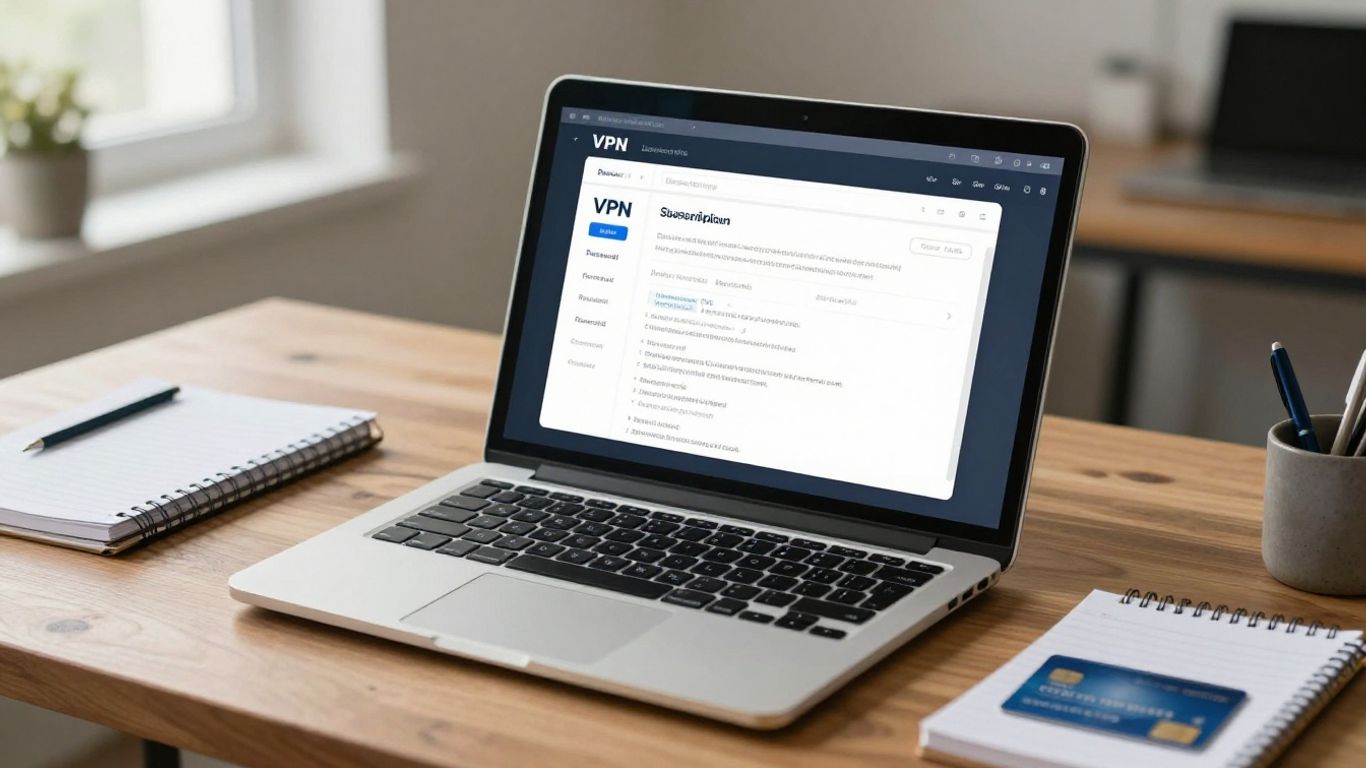
Renewal prices hidden in the checkout process
Renewal information may appear below the plan selector, inside a terms link, or in small text near the payment button. On some checkout pages, the promotional amount is prominent while the recurring amount is separated from it. Take a screenshot or save the confirmation email so you can later verify what you agreed to.
Search the provider’s billing page for the exact renewal frequency and amount. If the terms say that the price may change, treat the stated amount as a current guide rather than a guarantee. A deal is easier to judge when the provider explains the timing and method of any future price change.
Automatic renewals and cancellation deadlines
Automatic renewal is designed to prevent an interruption in service, but it can also create an unexpected charge. The renewal date may be a year or more after the initial purchase, when you no longer remember the subscription. Cancellation rules can also differ depending on whether you bought through the provider, an app store, or another payment platform.
You should identify three dates: the end of the current term, the expected renewal date, and any deadline for requesting a refund or stopping renewal. Turning off automatic renewal generally affects the next charge rather than removing access you have already paid for, but verify the provider’s stated policy before changing anything.
Introductory rates tied to longer commitments
A very low monthly equivalent often depends on paying for 24 or 36 months at once. That commitment can be reasonable if you have tested the apps, checked the refund terms, and expect your needs to remain stable. It is less attractive if you are choosing the service mainly because the first number looks unusually small.
Consider the commitment in practical terms. You may change devices, move countries, need a different server location, or find that the service does not work well for streaming or work access. The longer the term, the more value you should place on a usable refund window and clear cancellation process.
Price increases after a plan or feature change
A price can change when you move from a basic plan to a higher tier, add a separate feature, or switch from a promotional subscription to a current plan. The new price may be shown before confirmation, but the effect on your next renewal is easy to miss. Review the billing summary after every change rather than assuming the original terms still apply.
Keep promotional access and plan upgrades separate in your records. If a feature is included only in a higher tier, compare the complete new subscription cost with alternatives before upgrading. A small extra charge can become significant when it recurs for an entire year.
How to calculate the true cost of a VPN
To calculate the true cost of a VPN, add every payment required for the period you expect to use it, then account for renewal, add-ons, and separate services. The first charge is only one input. This approach gives you a more reliable answer to the search for a vpn service cheapest option because it measures value over time rather than at the moment of purchase.
Comparing the full contract cost instead of the first payment
Start with the amount charged today and the number of months included. Then write down the expected renewal cost and the term it covers. If you plan to use the service for two years, calculate the total cost over those two years, not merely the initial price for the first 12 months.
A simple hypothetical example helps. Suppose Plan A costs $48 for 12 months and renews at $96, while Plan B costs $60 for 12 months and renews at $72. Plan A is cheaper during the first year, but Plan B costs less if you remain subscribed into the second year. Neither is automatically better; your result depends on how long you stay and whether the plans offer comparable features.
Converting annual and multi-year plans into monthly equivalents
Divide the complete upfront payment by the number of months of access. If a provider charges $ ninety? Avoid weird. Use $72 for 12 months = $6. A multi-year payment of $144 for 24 months equals $6 per month before taxes and add-ons. This figure is useful for comparison, but it does not mean you pay $6 each month; you pay the full amount at the start.
Use the same calculation for the renewal period. If the renewal is $120 for 12 months, its monthly equivalent is $10, even if the first term was equivalent to $6. Keeping both figures visible prevents the introductory price from dominating your decision.
Including add-ons such as dedicated IP addresses
Some services sell optional extras separately. A dedicated IP address is one example, but the relevant question is whether you actually need that extra and whether it renews with the main plan. Add the recurring add-on cost to the VPN cost for every period in which you expect to use it.
Do not compare a basic plan with a higher-priced bundle as though they were identical. If one plan includes a feature you would otherwise buy separately, show the feature as a line item. The resulting comparison may reveal that a higher headline price is cheaper for your actual requirements.
Accounting for separate subscriptions and bundled services
A VPN may be sold alone or as part of a wider privacy bundle. A bundle can reduce the combined cost if you need the other services, but it is not automatically better value if you only want a VPN. Check whether the bundled products renew together, have separate cancellation rules, or move to different prices after the first term.
This table gives you a practical structure for comparing offers before you subscribe:
Cost item | First term | Renewal term | Include when |
|---|---|---|---|
Core VPN subscription | $48 | $96 | Always |
Optional dedicated IP | $24 | $24 | Only if needed |
Tax or payment fee | Varies | Varies | If charged |
Bundled service | $0 or included | Varies | If you would use it |
After filling in the table, compare totals for the same number of months. That final figure is more meaningful than a bold “per month” claim that excludes the upfront payment or treats optional services inconsistently.
What low-cost VPN plans may leave out
A low-cost VPN plan can be perfectly adequate, but price alone tells you little about what you receive. Restrictions may apply to the number of devices, server locations, connection speed, support channels, or additional privacy tools. You should compare those practical limits with how you intend to use the service rather than assuming every plan offers the same experience.
Device limits and restrictions on simultaneous connections
A plan may let you install an app on several devices while limiting how many can connect at the same time. That distinction matters if you want to cover a phone, laptop, tablet, television, and other household devices. Read the definition of a simultaneous connection and check whether routers count as one connection or affect the limit differently.
Make a short inventory before subscribing. Count the devices you use together, not just the devices you own. If the basic plan cannot cover that pattern, the cheaper subscription may force you to buy an upgrade or a second account.
Differences in server access, speed, and streaming support
Lower-priced tiers may offer fewer locations, a smaller selection of servers, or different access to streaming and peer-to-peer features. Speed also varies with distance, congestion, protocol, device, and network conditions. Marketing language such as “fast” does not tell you how the service will perform from your location at the times you use it.
Look for an independently conducted test that explains its method, and treat streaming claims as changeable rather than permanent. A provider may support one platform today and encounter blocking tomorrow. If a particular location or activity matters, confirm that the chosen plan includes it.
Missing features such as malware blocking or password managers
Some VPN subscriptions include tools beyond the encrypted connection, while cheaper tiers may not. Malware blocking, tracker blocking, password managers, identity alerts, and cloud storage can all affect the total value, but you should not pay for them simply because they appear in a bundle.
List the features you would otherwise buy separately and the ones you would never use. The comparison becomes clearer when you distinguish a genuine requirement from a decorative extra. A low-cost VPN may be the right choice if its core service is all you need.
Customer support, apps, and router compatibility
Support quality and platform coverage can matter more than a small price difference. Check whether the provider offers apps for your operating systems, clear setup instructions, and a support channel you can use. Router compatibility deserves separate attention because installing a VPN on a router can involve different firmware and connection limits than installing an app.
Before purchasing a long term, check the app store listings or official compatibility pages for your devices. You can also read a VPN cheat sheet when terms such as protocols, device coverage, and browser extensions are unclear. That small amount of preparation may prevent you from paying for a service you cannot use conveniently.
Whether a cheap VPN is trustworthy enough
A cheap VPN can be trustworthy, and an expensive VPN can still deserve scrutiny. Price does not prove that a provider handles data responsibly. You need evidence about logging, ownership, jurisdiction, security design, and the limits of any independent review.
Logging policies and what independent audits actually verify
A no-logs statement is a policy claim until it is examined against evidence. An independent audit may assess a particular system, period, or set of procedures rather than every future operation of the company. Read what the audit covered, who conducted it, and whether the report is public or only summarized.
Do not turn a limited audit into a universal guarantee. The useful question is narrower: what did the reviewers examine, and does that scope match the privacy concern you have? You should also read the privacy policy for categories such as account information, payment data, diagnostics, and connection records.
Company ownership, jurisdiction, and transparency reports
Ownership and legal jurisdiction affect how a provider is structured and what legal obligations may apply. They do not by themselves establish whether a VPN is safe or unsafe. Use them as context alongside the privacy policy, transparency reporting, security disclosures, and history of responding to incidents.
Check whether the company clearly identifies its legal entity and provides a way to report vulnerabilities or abuse. Vague ownership information, missing policy dates, and unexplained changes are reasons to pause. You can then decide whether the service offers enough transparency for the price.
Security standards for encryption, protocols, and leak protection
Look for clear documentation of encryption, supported protocols, kill-switch behavior, DNS handling, and IPv6 or WebRTC leak protection where relevant. The terminology matters less than whether the provider explains how the controls work and where they apply. A feature listed only as a slogan gives you little basis for comparison.
Test the controls on your own devices during the refund period. Disconnect the VPN, change networks, and check whether traffic stops as the provider says it should. A security feature is valuable only when it is available on your plan and behaves predictably in your setup.
Warning signs in free and unusually cheap VPN services
Free services deserve especially careful reading because the provider still needs to fund infrastructure, support, and development. Some may impose data caps or display advertising; others may collect more information than you expect. Low price is not proof of misuse, but a lack of clear answers should influence your decision.
Watch for these warning signs before entering payment or personal information:
No identifiable company, privacy policy, or support route.
Vague statements about logs without defining what is collected.
Pressure to subscribe before you can inspect billing terms.
Apps or downloads that request permissions unrelated to VPN operation.
These signs do not establish a legal or technical violation on their own. They do indicate that you have less evidence with which to judge the service, so a cheap offer may carry more uncertainty than its price suggests.
How to compare VPN deals before subscribing
You can compare VPN deals efficiently by treating the checkout page, refund policy, and independent testing as one evidence set. Start with price, but do not stop there. A deal is only useful when you can cancel appropriately, test the service, and understand what happens after the first term.
Checking the renewal price and billing terms
Record the initial charge, renewal amount, billing frequency, currency, tax treatment, and automatic-renewal setting. Check whether the stated renewal price applies to the same plan or whether the provider reserves the right to move you to a current price. Save the confirmation message after purchase.
Seasonal deal pages can help you find offers, but they may not explain every term. For context, you can review VPN Black Friday deals, then verify the live provider checkout rather than relying on an old advertised rate. A dated offer is a starting point, not proof of what you will be charged today.
Reviewing refund policies and free-trial limitations
A money-back guarantee may have conditions, such as a maximum number of days, exclusions for certain payment methods, or limits on repeated claims. A free trial may require payment details and convert automatically into a paid subscription. Read the cancellation instructions before activating either option.
The refund period is useful only if you know how to request the refund and preserve evidence of the request. Buying through an app store may place the refund process under that store’s rules. Do not assume the provider’s website policy applies unchanged to every purchase route.
Testing performance during the refund window
Use the service in the situations that matter to you while you can still act on the refund policy. Test different networks, nearby and distant locations, video calls, downloads, and the devices you actually use. Keep notes about connection stability rather than judging performance from one unusually good session.
A practical test can cover four points:
Connection time and reliability on your usual network.
Performance at the locations you are most likely to use.
App behavior when switching between Wi-Fi and mobile data.
Kill-switch and leak-protection behavior after a deliberate disconnect.
Your results will be more useful than a generic speed claim because they reflect your hardware, location, and routine. If the service fails a requirement, use the stated cancellation route before the relevant deadline.
Comparing independent test results with marketing claims
Independent testing is most useful when it shows the date, locations, protocols, devices, and measurement method. Results can vary, so one test should not be treated as a permanent ranking. Compare broad patterns and look for reviews that discuss limitations as carefully as advantages.
Separate facts from conclusions. “Supports a protocol” is a factual capability; “best for everyone” is a judgment that depends on priorities. This distinction helps you avoid paying more for a promise that has not been tested in conditions similar to yours.
How to avoid paying more when the deal ends
Avoiding a higher renewal charge requires a reminder and a decision before the billing date. You do not need to cancel immediately after subscribing, and turning off automatic renewal usually is not the same as ending paid access, but the exact behavior depends on the provider and purchase channel. Keep control of the timing rather than leaving the decision to an unnoticed card charge.
Turning off automatic renewal without losing current access
Open the account or payment platform where you bought the VPN and locate the renewal setting. Read the confirmation screen carefully: it should tell you whether access continues until the paid term ends. Save the confirmation email and check the account later to ensure the renewal status changed.
If you subscribed through an app store, manage the subscription there rather than assuming the provider’s website can cancel it. When the screen is unclear, contact support and ask a precise question about access, renewal, and the effective cancellation date.
Setting reminders before promotional pricing expires
Set a calendar reminder well before the renewal date, not on the day the payment is due. A reminder 30 days ahead gives you time to check the account, compare current offers, and request clarification. A second reminder a week before renewal provides a practical backstop.
Include the plan name, renewal amount, renewal date, and cancellation route in the note. That information turns a vague reminder into a decision prompt. You can also review current VPN deal comparisons at that point, while still checking every live price and term independently.
Rechecking competing plans before the next billing date
Prices and features change, so compare the current market only when your renewal is approaching. Check whether a cheaper plan has the locations, device capacity, security controls, and support you need. Switching for a small saving may not be worthwhile if you lose a feature you use every week.
Do not allow a “loyalty” assumption to replace a fresh calculation. Your current provider may offer a retention price, but assess it using the same renewal and contract-cost method as any new offer. If the provider changes the terms, ask for the details in writing.
Deciding when a higher-priced VPN is better value
The cheapest option is not always the best value when reliability, privacy evidence, device coverage, or support affects your daily use. A higher-priced plan can make sense if it prevents you from buying add-ons, supports the devices you need, or gives you a clearer and more testable privacy position. The justification should be a specific benefit, not the provider’s reputation alone.
Before renewing, ask whether the service still meets your requirements and whether you would choose it again at the full price. If the answer is no, cancel within the stated deadline and compare alternatives without rushing into another long commitment.
Conclusion
The cheapest VPN service is the one that remains reasonably priced after renewal and still provides the access, security, support, and flexibility you actually need. Check the full billing path, test the service, and set a reminder before the promotional term ends; those simple steps keep a low introductory price from becoming an expensive default.
Frequently Asked Questions
What is the cheapest VPN service after the first year?
There is no permanent winner because introductory prices, renewal rates, taxes, and included features change. Compare the total cost for the period you expect to use the VPN, including the first renewal and any extras you need.
Are multi-year VPN plans always cheaper?
No. They often have a lower monthly equivalent, but they require a larger upfront payment and may renew at a higher rate. A multi-year plan is sensible only when you expect to use it for the full term and have checked its refund and renewal conditions.
Can a cheap VPN be safe?
Yes, price alone does not determine safety. Examine the privacy policy, available audit evidence, ownership information, encryption and protocol documentation, leak protection, and the provider’s transparency before subscribing.
What does a VPN renewal price mean?
The renewal price is the amount the provider expects to charge after the introductory or current billing period ends. It may apply annually, monthly, or on another schedule, so check both the amount and the billing frequency.
Should you turn off automatic VPN renewal?
If you do not want an unexpected charge, turning it off is usually sensible after confirming how cancellation affects access. Manage the setting through the website or app store where you purchased the subscription, and save the confirmation.
Do VPN free trials automatically become paid plans?
Some do, while others end without a charge or require a separate purchase. Read the trial terms, note the conversion date, and check which company or payment platform handles cancellation.
How can you tell whether a VPN deal is genuine?
Check the provider’s own checkout page, final total, renewal wording, refund rules, and payment confirmation. Treat third-party deal pages as discovery tools and verify that the current offer matches the advertised price and duration.
The renewal price is the number that decides what a subscription really costs. Our comparison of VPN services lists what each provider charges on the introductory term and after it.
Related reading
We worked the renewal arithmetic through on one provider in what the long deal really costs.
One provider avoids the pattern entirely with flat pricing; see our Mullvad review.
What each of the ranked providers charges, and at renewal, is in the ranking.
If you make a purchase via one of these links, we may earn a commission, at no extra cost to you. Learn More

